Topic: Working with files
Online Help
Tabs
Since version 7.6.4, Calcpad supports multiple files in a single session. Each newly created or opened file is loaded into a separate tab. File tabs are located just below the main toolbar. You can use them to switch between the currently loaded files.
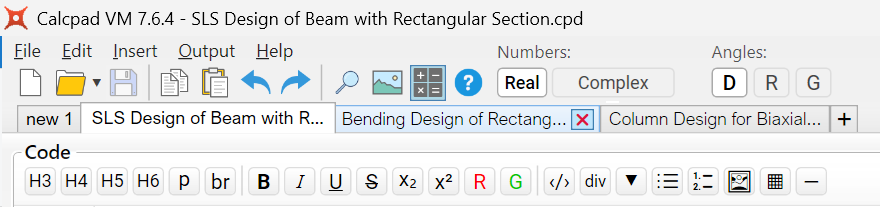
The title of each tab represents the file name. If it is longer than 25 characters, the rest is truncated. The full path to the file is displayed in a tooltip when you hover the mouse over the tab. If the tab strip overflows, a pair of arrows appears on the right to scroll the tabs horizontally.