Topic: Graphing and plotting
Online Help
Data charts (Pro only)
This feature is available only in Calcpad VM Pro 8.
Data charts display values that are stored in vectors and matrices, such as measurements, results from tables or the output of calculation loops. Unlike function plots, they do not evaluate any expressions. The general format is:
$Line{y1 & y2 & … @ xl = labels}
The items separated by "&" are the data series. The part after "@" is optional. It specifies the labels along the category axis by a vector of text or numbers. If it is omitted, the positions are numbered 1, 2, 3 … The following chart types are available:
$Line- line chart (polylines through the points);$Fill- filled areas below the lines;$Smooth- smooth lines through the points;$Bar- horizontal bars;$Column- vertical columns;$Scatter- points only;$Pie- pie chart, one ring per series;$Donut- donut chart, one ring per series;$Radar- radar (spider) chart;$Bubble- bubbles with different sizes;$Chart- combined chart with different types of series (see below).
Data series
Each data series can be specified in one of the following ways:
y- a vector with the values of the ordinates. The abscissas are assumed to be 1, 2, 3 …;x|y- two vectors of equal length with the values of the abscissas and the ordinates;Y- a matrix whose rows contain the ordinates of several series. Only for $Column, the series are taken from the columns;X|Y- two matrices whose rows contain the abscissas and the ordinates of several series. If X is a vector, it is used for all rows of Y.
You can combine different forms in a single command, e.g. $Line{x|y1 & y2 & x|y3}. Where the abscissa is missing, [1; 2; 3 …] is assumed. The values can have units, but they must be consistent within the chart.
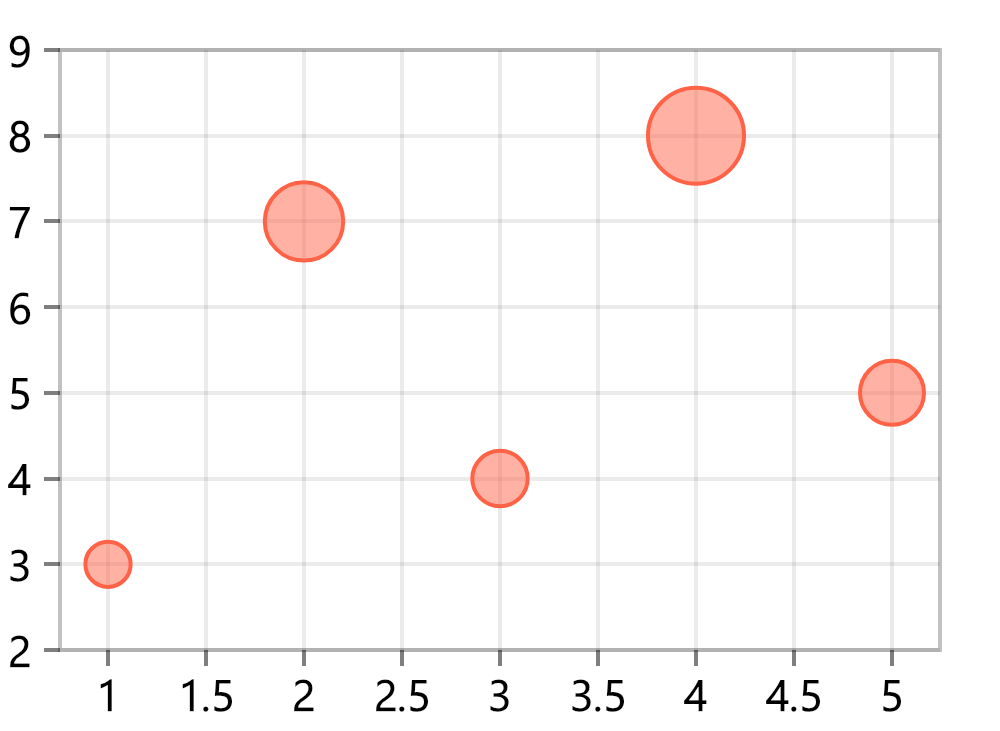
For $Bubble, each series can have up to three items: x|y|d, y|d or y, where d contains the sizes of the bubbles. Without x, the abscissas are 1, 2, 3 … and without d, the points are drawn as small dots. Note that two items mean y|d here, and not x|y as for the other chart types.
Combined charts
The $Chart command can display series of different types on a single chart. The type of each series is set by a prefix, followed by a colon:
$Chart{column: y1 & fill: x|y2 & y3 @ xl = labels}
The available prefixes are: line (the default one, if the prefix is omitted), fill, smooth, column, scatter and bubble. The other types: bar, pie, donut and radar cannot be combined with others and can be used only alone. Areas are drawn first, then columns, lines and points on top. Columns are drawn semi-transparent, so that the series behind them remain visible.
Example
The following code compares the monthly electricity use for two years:
months = ["Jan"; "Feb"; "Mar"; "Apr"; "May"; "Jun"; "Jul"; "Aug"; "Sep"; "Oct"; "Nov"; "Dec"]
E_2025 = [412; 385; 340; 268; 205; 190; 228; 236; 214; 279; 344; 398]*kWh
E_2026 = [398; 360; 322; 251; 198; 176; 241; 249; 205; 262; 330; 371]*kWh
Plot.Title = "Electricity use"
Plot.Legend = 1
Plot.Series1.Name = "2025"
Plot.Series2.Name = "2026"
Plot.Dots = 1
$Line{E_2025 & E_2026 @ xl = months}
The labels are specified as a vector of strings (see "Strings"). Series names, colors and line styles are set by the Plot.Series1 … Plot.Series10 options. There are also several options that are specific for data charts: Plot.Stack stacks the series on top of each other for $Line, $Fill, $Smooth, $Bar and $Column, Plot.Dots shows dots at the points, Plot.DataTags displays the values next to the points and Plot.DropLines draws vertical lines from the points to the horizontal axis. With Plot.FlipAxes = 1, the category axis becomes vertical, e.g. $Bar will give vertical bars. When the chart is in SVG format, you can hover the mouse over the points to see the values.
Examples of the different chart types are provided below. In all examples, Plot.Width = 220 and Plot.Height = 150. Since options remain in effect for the following plots, each example starts with Plot.Reset(), which is omitted for brevity.
|
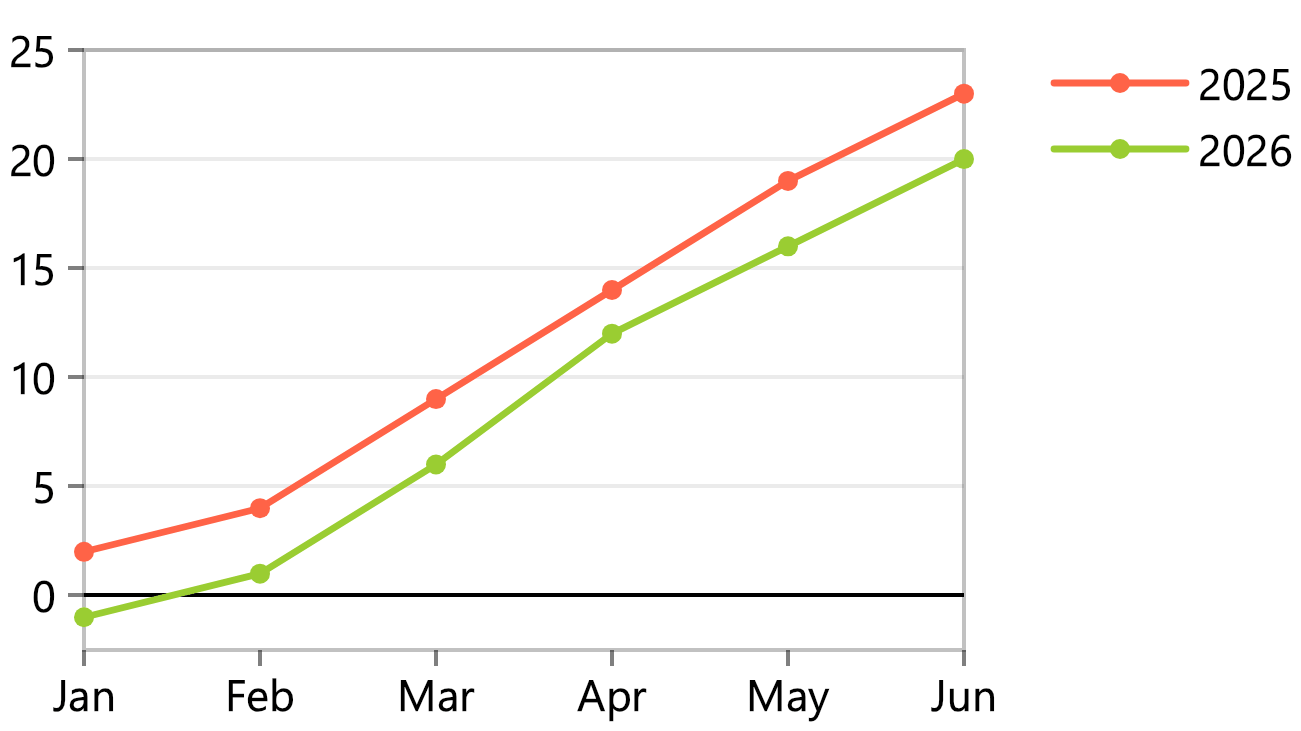
Line chart
|
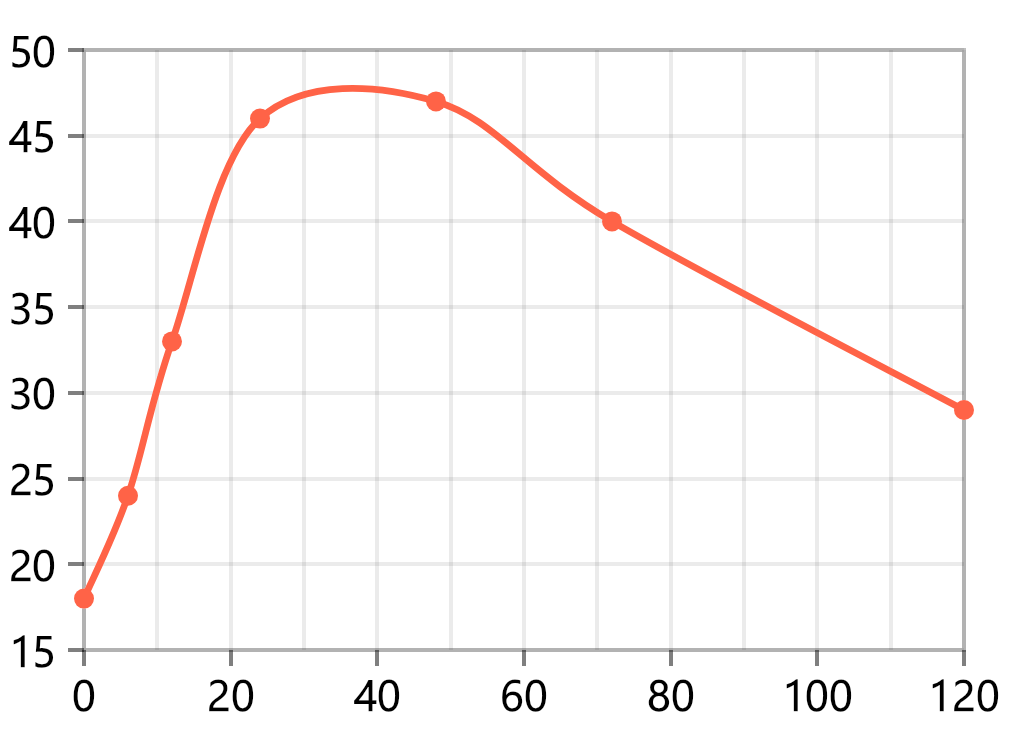
Smooth lines with x|y data
|
 |
 |
|
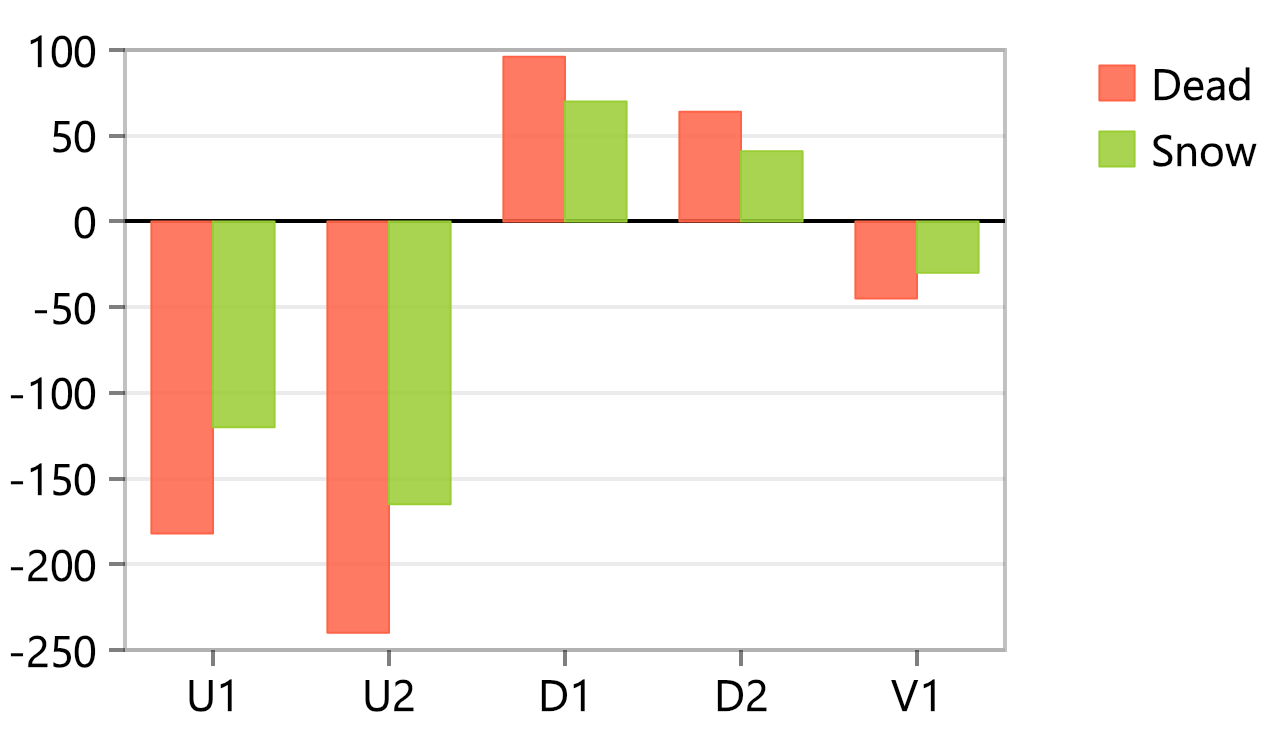
Columns from matrix columns
|
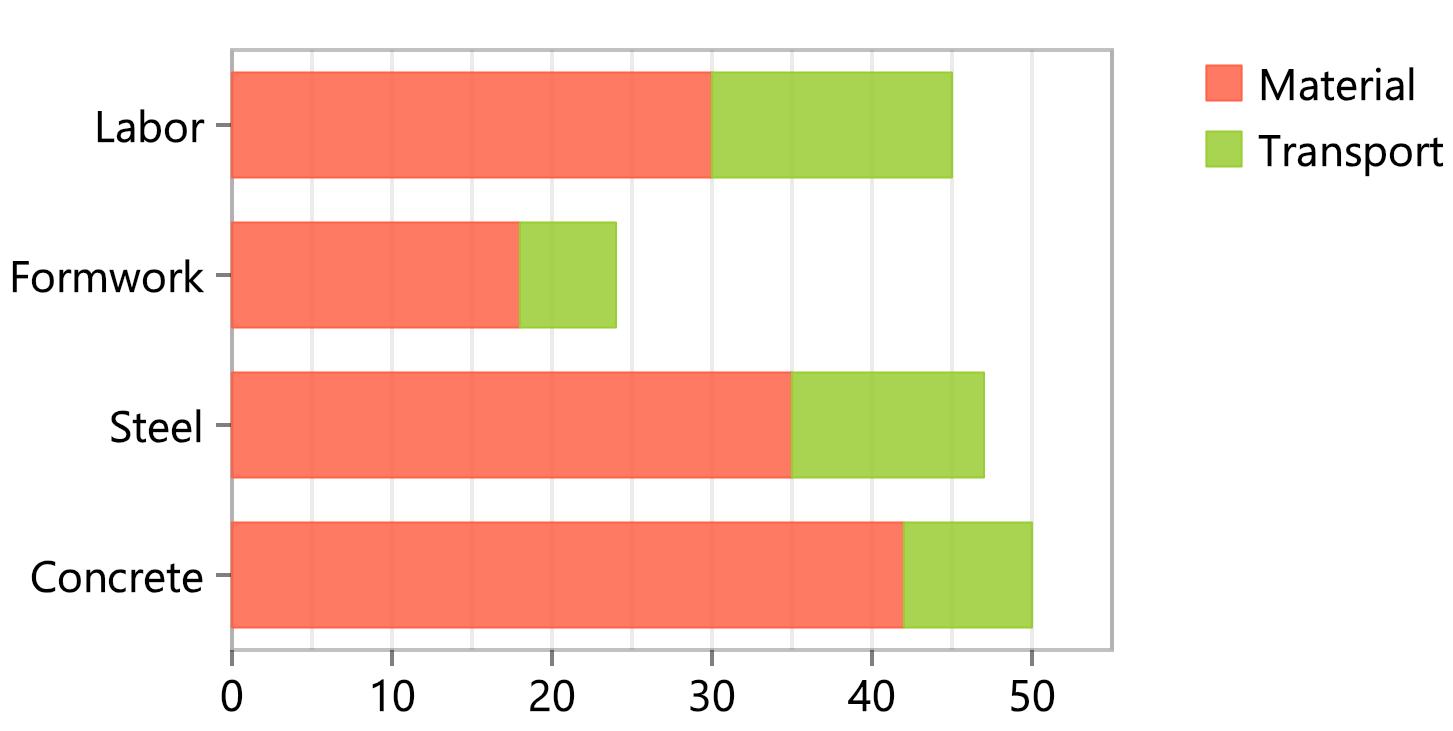
Stacked bars
|
 |
 |
|
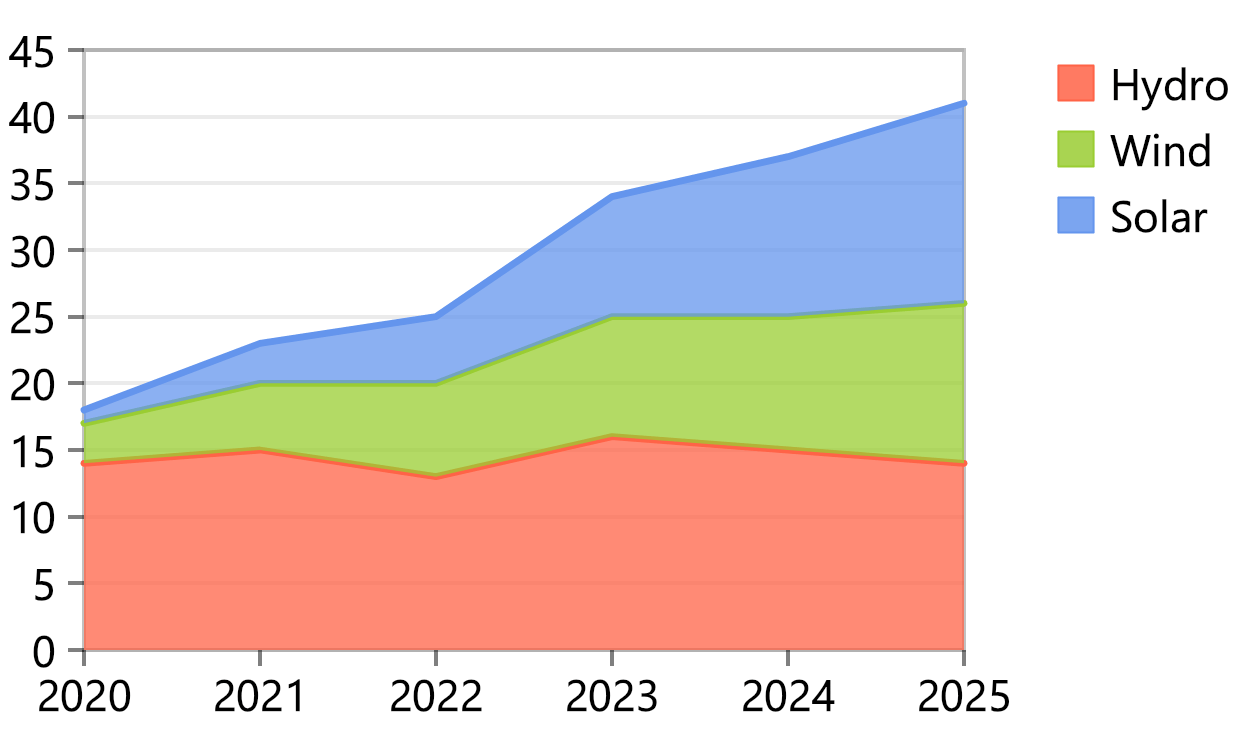
Stacked areas
|
Bubbles
|
 |
 |
|
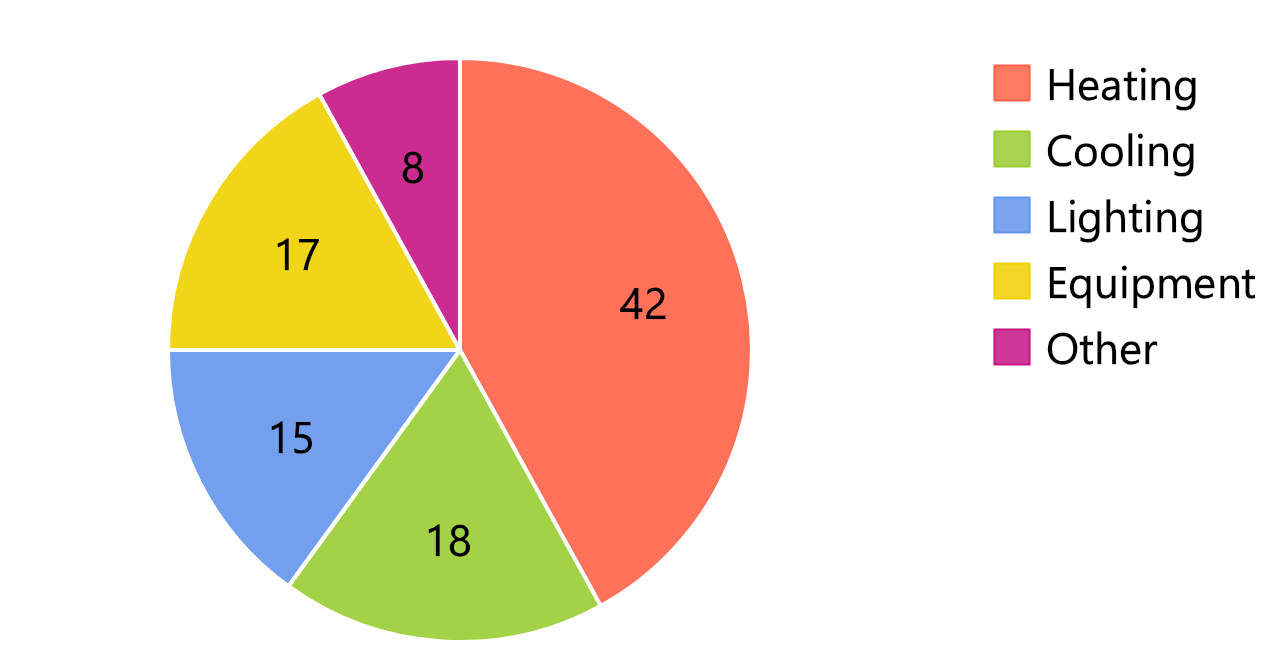
Pie chart
|
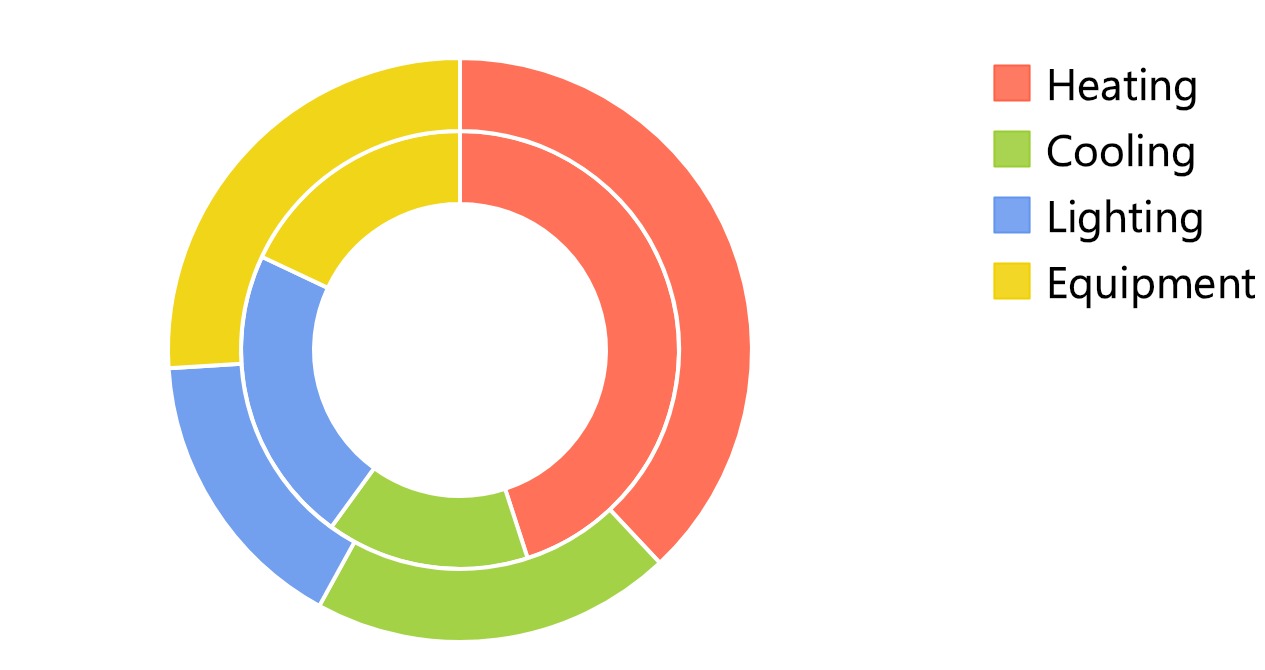
Donut chart with two series
|
 |
 |
|
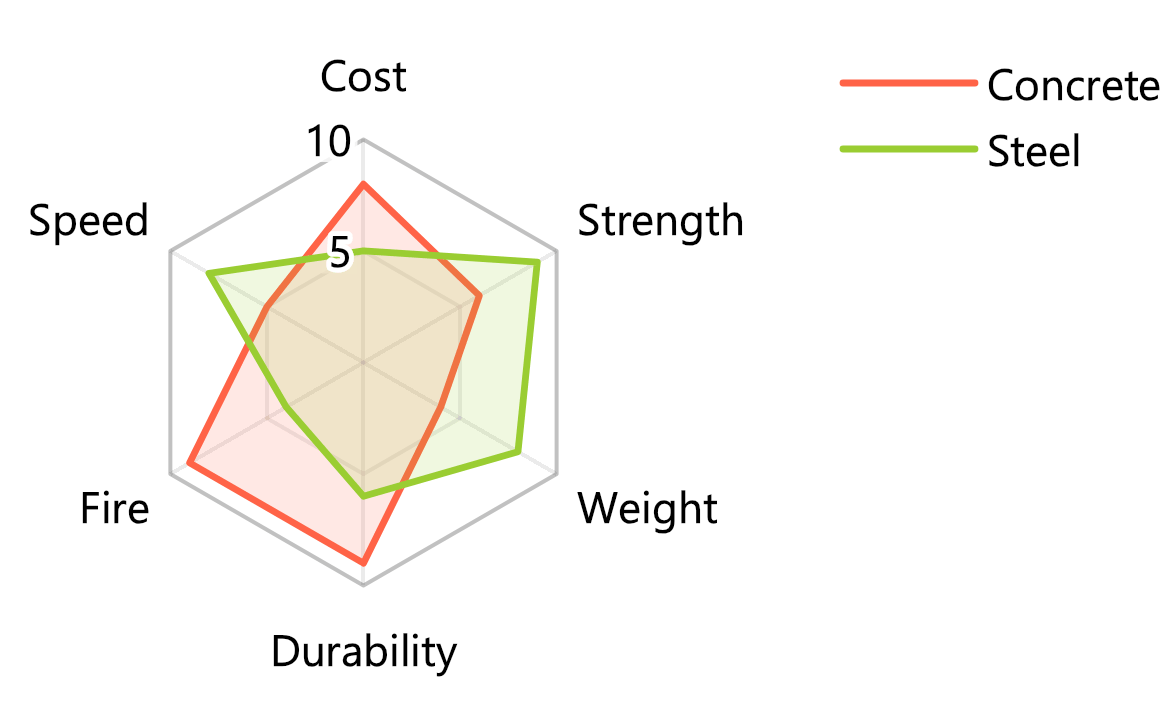
Radar chart
|
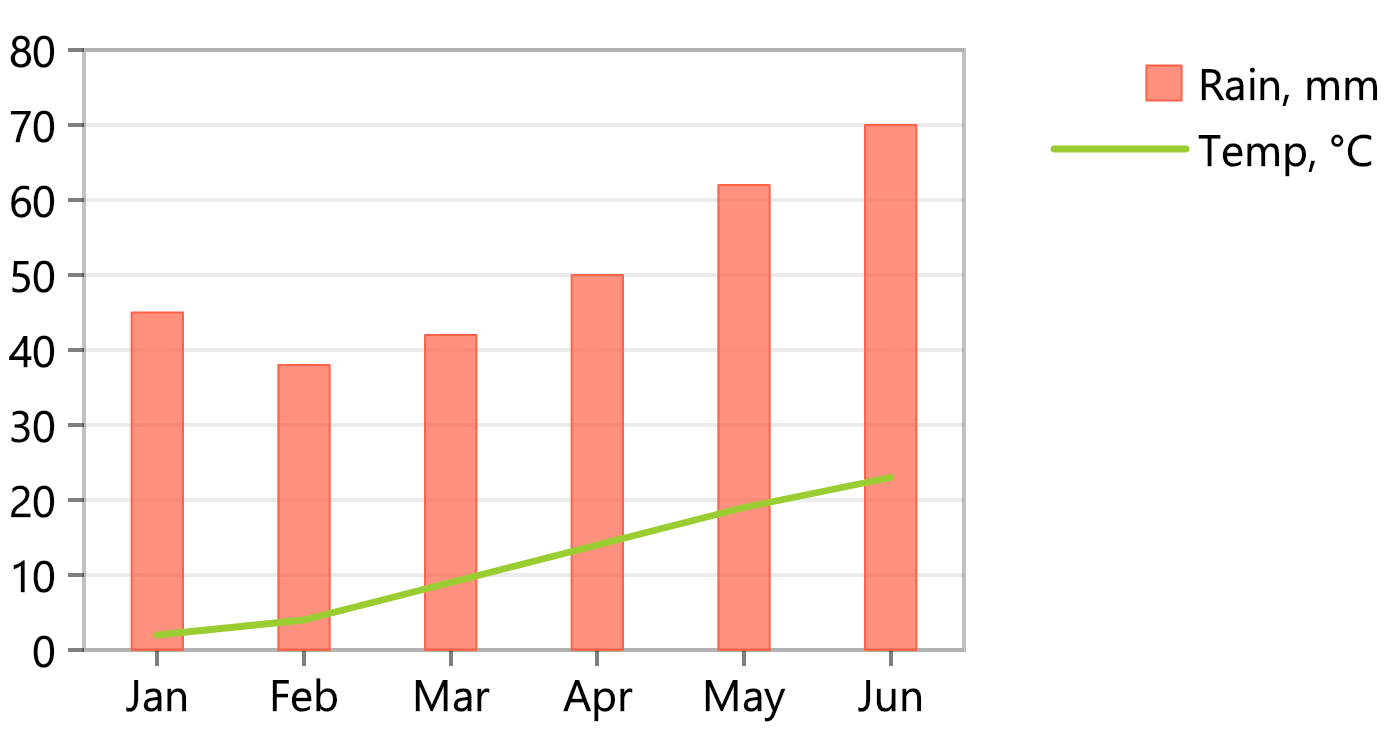
Combined columns and line
|
 |
 |